Sticky Notes & Strategy: How I Use Post-its for Action Now and a Notepad for Action Later
A simple system to fight distraction, refocus fast, and get things done without the inbox overwhelm.
Every productivity system I’ve ever loved shares one common trait: clarity. Whether it’s a revamped Outlook folder setup, a 168-hour weekly time map, or my morning espresso-fueled calendar review, if it helps me see what matters now versus later, I’m in.
Lately, I’ve added an analog layer to my digital world. It’s deceptively simple:
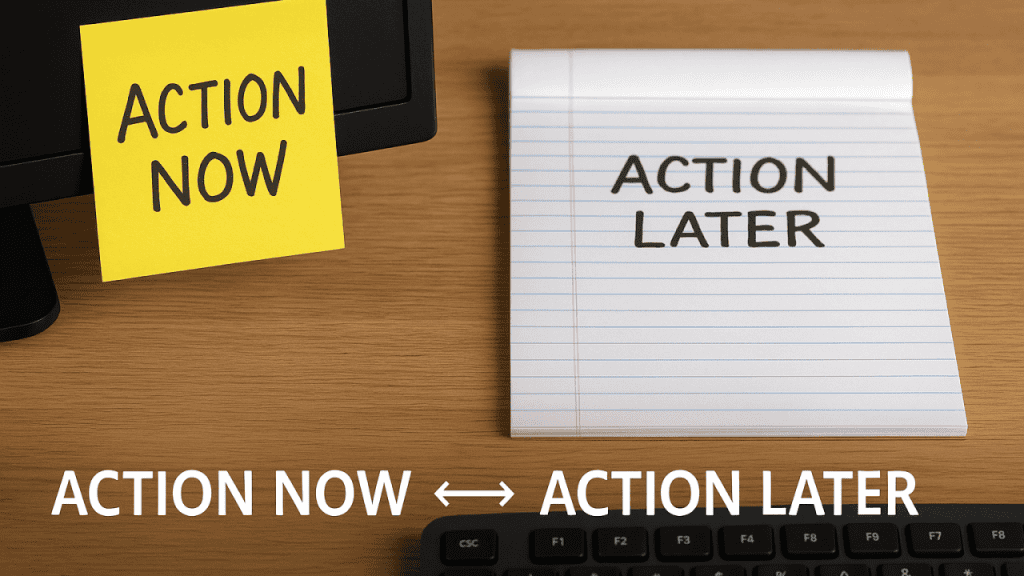
Post-it Notes = Action Now
Physical Notepad = Action Later
And yes, it works just as well as it sounds.
Why I Needed a Physical Layer
Even with Copilot, calendar blocks, and neatly organized folders (Action, Read Later, Waiting, Reference), sometimes I still find myself drifting. You know the moment you finish a meeting, glance at your inbox, and suddenly… you’re reacting instead of focusing.
That’s where Post-it notes come in.
The Post-it: My Tiny Yellow Launchpad
My Post-it is sacred. I only allow 3–5 tasks on it at a time, usually written right after my morning calendar and inbox triage, and it’s not a to-do list.
It’s a do now list.
It sits right next to my keyboard. Always visible. No notifications. No distractions. Just focus.
My Post-it Rules:
- Must be tasks I intend to complete today
- No more than five items (fewer = better focus)
- If it doesn’t fit, it goes on the notepad
Bonus: The physical act of checking something off a Post-it is incredibly satisfying. It signals momentum. It builds energy.
The Notepad: A Gentle Parking Lot for Later
Meanwhile, the notepad catches the rest. Ideas. Follow-ups. “Someday” items. Anything that comes to mind and is not due today.
Think of it as my analog to Read Later inbox.
At the end of the day (or sometimes at lunch), I scan the notepad.
- Urgent items get promoted to tomorrow’s Post-it
- Others get scheduled or delegated
- Some just get crossed off, they didn’t matter after all
It keeps my brain clear and my to-do list focused on what’s important now.
Why This Works (Even in a High-Tech World)
We live in a world of digital everything, including AI assistants, productivity platforms, and notification badges that scream for attention. And yet… the tactile nature of writing something down still creates a kind of mental commitment digital tools can’t replicate.
Combining the physical with the digital gives me the best of both:
- I use Outlook + Microsoft Copilot + Calendar for structure
- I use Post-its + notepad for presence
It’s fast. It’s visual. And it works.
Final Thought: Don’t Let Your System Become Your Distraction
Whatever system you use, Outlook folders, Kanban boards, Post-its, or bullet journals, it’s only valid if it simplifies your decision-making. The beauty of Post-it + notepad is that it forces you to confront what matters now and what can wait.
And that’s the core of any productivity method worth its salt.
Try it this week:
- Grab a fresh Post-it. Write down your top 3 tasks for the day.
- Keep a notepad by your side. Offload distractions as they come.
- End the day with a quick review—and enjoy the clarity that comes with it.
Sometimes, the simplest tools make the most significant difference.
#Productivity #WorkSmart #168Hours #LeadershipHabits #FocusMatters #ActionNow #WorkFromHome #MicrosoftCopilot #TimeManagement #AnalogMeetsDigital #ExecutionOverEverything #MichaelEarls